Hermes Agent Integration
Connect Hermes Agent to LLM Gateway using a custom endpoint, then verify tool use, file edits, and tests.
Hermes Agent supports custom OpenAI-compatible endpoints. This walkthrough was verified with Hermes Agent 0.21.0.
Video walkthrough
Install
Follow the official installation instructions, then open a new terminal and check:
1hermes --version1hermes --versionConfigure the connection
Run hermes setup and choose Custom OpenAI-compatible endpoint. Enter:
| Setting | Value |
|---|---|
| Base URL | https://api.llmgateway.io/v1 |
| API key | A key from your dashboard |
| Model | deepseek-v4-flash |
| Terminal backend | local for this walkthrough |
You can also configure the files directly. Merge the following into ~/.hermes/config.yaml:
1model:2 provider: custom3 default: deepseek-v4-flash4 base_url: https://api.llmgateway.io/v15terminal:6 backend: local1model:2 provider: custom3 default: deepseek-v4-flash4 base_url: https://api.llmgateway.io/v15terminal:6 backend: localStore the credentials in ~/.hermes/.env:
1OPENAI_API_KEY=your_api_key2OPENAI_BASE_URL=https://api.llmgateway.io/v11OPENAI_API_KEY=your_api_key2OPENAI_BASE_URL=https://api.llmgateway.io/v1Keep the credentials file private. HERMES_HOME can point Hermes at a separate configuration directory.
Start coding
1cd your-project2hermes chat1cd your-project2hermes chatFor a single task that exits when finished:
1hermes chat --oneshot -q "Fix the failing test and run it again"1hermes chat --oneshot -q "Fix the failing test and run it again"Use --toolsets terminal,file to limit this demo to shell and file tools. You can change the model for a session with --model.
Verify the connection
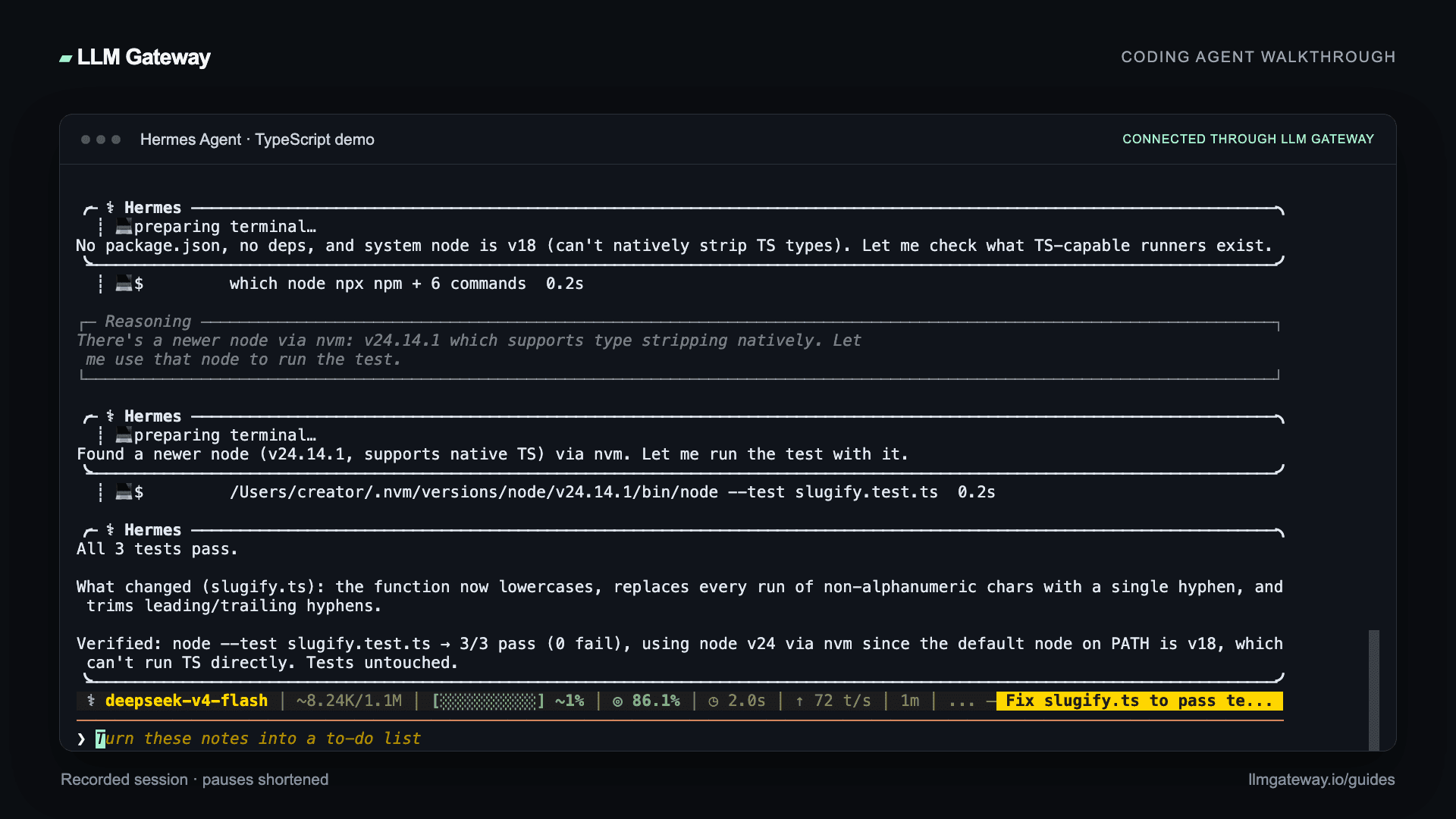
Open a small project and ask the agent to read a file, make a change, and run its tests. Our recorded example fixes a TypeScript slugifier and passes all three tests with deepseek-v4-flash through LLM Gateway.
Hello, LLM Gateway! becomes hello-llm-gateway; repeated separators collapse into one hyphen; empty and punctuation-only inputs stay empty. The demo uses Node.js 24 to run node --test slugify.test.ts directly.
Review the diff and test output, then check the request in your LLM Gateway dashboard. Choose other compatible models from the live catalogue.
Troubleshooting
Run hermes doctor to inspect the configuration. Missing credentials for optional providers do not prevent your configured custom endpoint from working.
If requests use another provider, check both model.provider: custom and model.base_url. If TypeScript tests fail before running, check the Node.js version inside Hermes's terminal tool; it can differ from the version in your outer shell.